
Work your deals, leads and opportunities from LinkedIn
On the Scale plan, work your HubSpot deals and leads or your Salesforce opportunities, and see your Attio deals, from the Hublead panel on LinkedIn.
On this page
- What you'll learn
- 1. Which plan and CRM you need
- 2. Deals in HubSpot
- What you see
- What you can do
- 3. Leads in HubSpot
- What you see
- What you can do
- 2. Opportunities in Salesforce
- What you see
- What you can do
- 2. Deals in Attio
- What you see
- What else Hublead does in Attio
- FAQ
- Do I need to open HubSpot to update a deal or a lead?
- I’m on Business. Can I use the Deal and Lead tabs?
- Which HubSpot edition do I need for leads?
- Do I need to open Salesforce to update an opportunity?
- I’m on Business. Can I use the Opportunity tab?
- Can I see my Attio deals from LinkedIn?
On the Scale plan, the Hublead panel on LinkedIn shows your HubSpot deals and leads or your Salesforce opportunities, so you create them and move them through the stages without opening your CRM. With Attio, the panel shows the deals of the person you open, on the Scale plan.
What you'll learn
HubSpot
- Which plan and CRM you need
- Deals in HubSpot
- Leads in HubSpot
Salesforce
- Which plan and CRM you need
- Opportunities in Salesforce
Attio
- Which plan and CRM you need
- Deals in Attio
1. Which plan and CRM you need
| CRM | Tabs in the Hublead panel | What you need |
|---|---|---|
| HubSpot | Deal and Lead | Hublead Scale. Leads also need Sales Hub Professional or Enterprise on your HubSpot account |
| Salesforce | Opportunity | Hublead Scale |
| Attio | Deals, shown with the person's record | Hublead Scale |
HubSpot
On Professional and Business, the Deal and Lead tabs are visible in the panel. Clicking them shows the Scale plan that unlocks them.
HubSpot
2. Deals in HubSpot
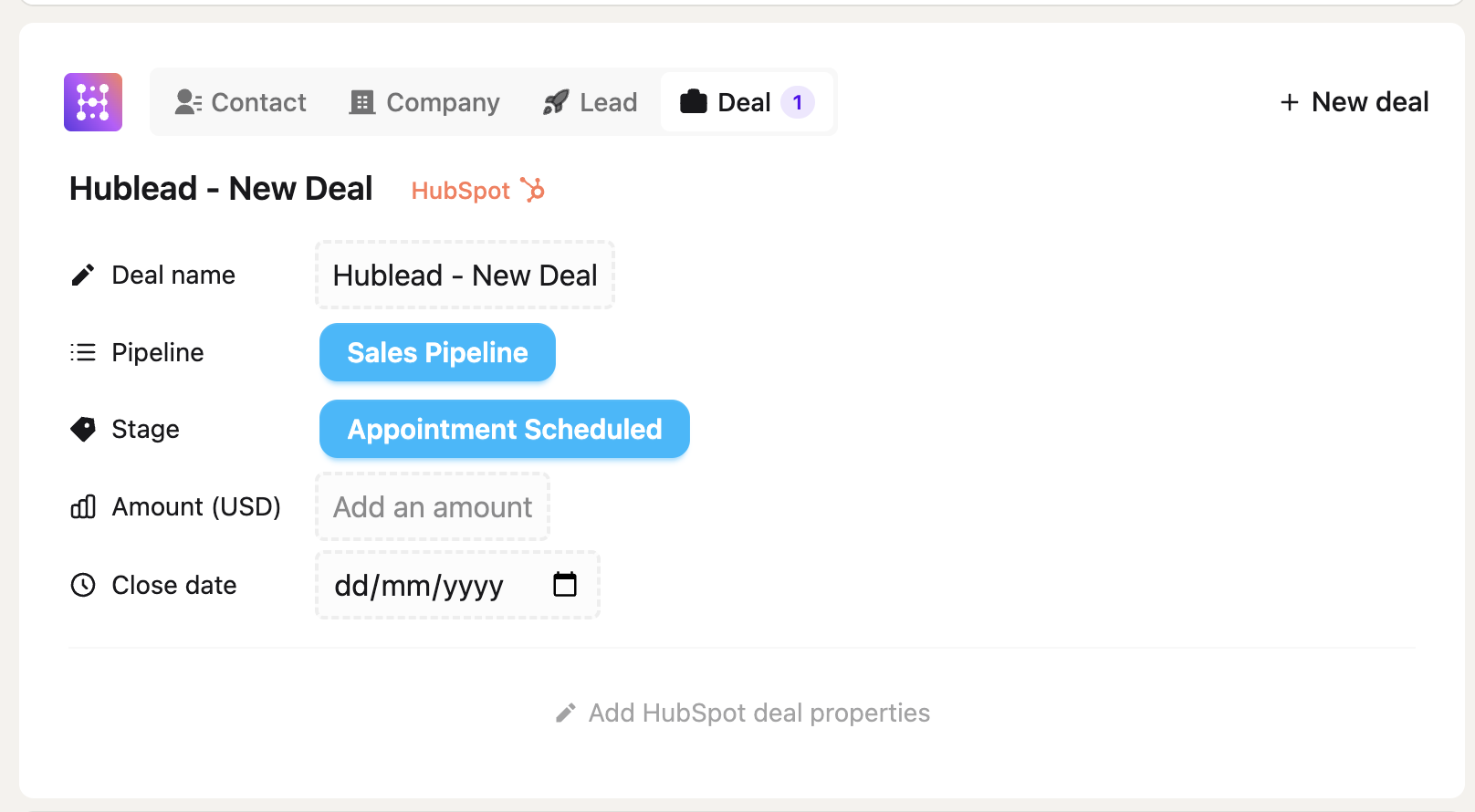
Open a contact or a company on LinkedIn and go to the Deal tab of the Hublead panel, next to Contact and Company.
What you see
The deals linked to that contact or company in HubSpot.
What you can do
- Create a deal: pick the pipeline, the stage, the amount and the close date.
- Move a deal through the stages of its pipeline.
- Edit the deal's properties right in the panel.
A deal you create from LinkedIn is linked to both the contact and their company in HubSpot.
3. Leads in HubSpot
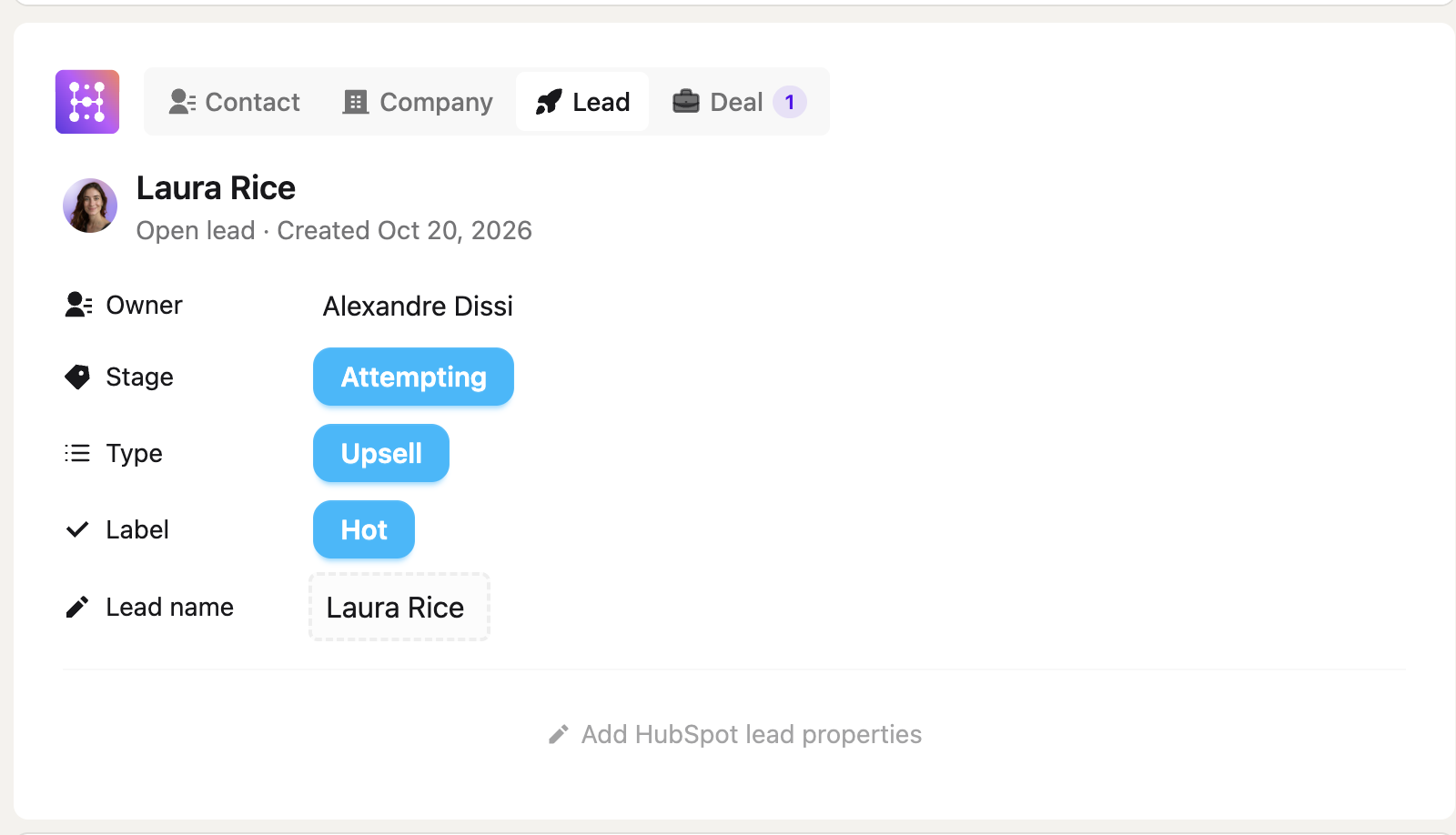
Open a contact on LinkedIn and go to the Lead tab of the Hublead panel.
What you see
The contact's open lead in HubSpot.
What you can do
- Create a lead for the contact.
- Change its stage, type, label and owner.
- Fill in its properties.
Salesforce
2. Opportunities in Salesforce
Open a contact or a company on LinkedIn and go to the Opportunity tab of the Hublead panel.
What you see
The opportunities linked to that Salesforce contact or account.
What you can do
- Create an opportunity: name, stage, amount and close date.
- Move it through the stages.
- Change its owner.
Attio
2. Deals in Attio
Open a person who is already in Attio on LinkedIn.
What you see
The Hublead panel shows their Attio record: the company, the deals, the notes and the tasks. Deals need the Scale plan.
What else Hublead does in Attio
- Creates or updates the person in People and their company in Companies when you save a LinkedIn profile. Records are matched on the LinkedIn ID, so a profile already in Attio is updated, not duplicated.
- Logs your LinkedIn messages as notes on the record.
- Sends people you find in Lead Search to an Attio list.
- Watches the contacts of an Attio list and tells you when one of them changes jobs.
For the fields Hublead fills and the settings you can change, see Getting started with Hublead for Attio. To connect Attio first, see Connect Attio to Hublead.
FAQ
HubSpot
Do I need to open HubSpot to update a deal or a lead?
No. You create and move deals and leads from the Hublead panel, and the change is saved in HubSpot.
I’m on Business. Can I use the Deal and Lead tabs?
The tabs are part of the Scale plan. See Hublead subscription, plans, and seats or contact us to move to Scale.
Which HubSpot edition do I need for leads?
Sales Hub Professional or Enterprise on your HubSpot account, on top of Hublead Scale.
Salesforce
Do I need to open Salesforce to update an opportunity?
No. You create and move opportunities from the Hublead panel, and the change is saved in Salesforce.
I’m on Business. Can I use the Opportunity tab?
The tab is part of the Scale plan. See Hublead subscription, plans, and seats or contact us to move to Scale.
Attio
Can I see my Attio deals from LinkedIn?
Yes, on the Scale plan. The Hublead panel shows the deals of the person you open. See Hublead subscription, plans, and seats or contact us to move to Scale.
Updated 24 November 2026