
It covers two core use cases:
- Refreshing an existing contact to enrich missing data
- Relinking a LinkedIn profile to a different HubSpot contact
What does “Refresh” do?
Refreshing a contact updates and completes the information of an existing HubSpot contact using LinkedIn data.
Example scenario
- You create a contact in HubSpot with:
- Name
- LinkedIn URL
- Other fields (job title, company, etc.) are missing
- You open the contact’s LinkedIn profile and click Refresh in Hublead
Hublead will then fetch and populate the missing information directly into HubSpot
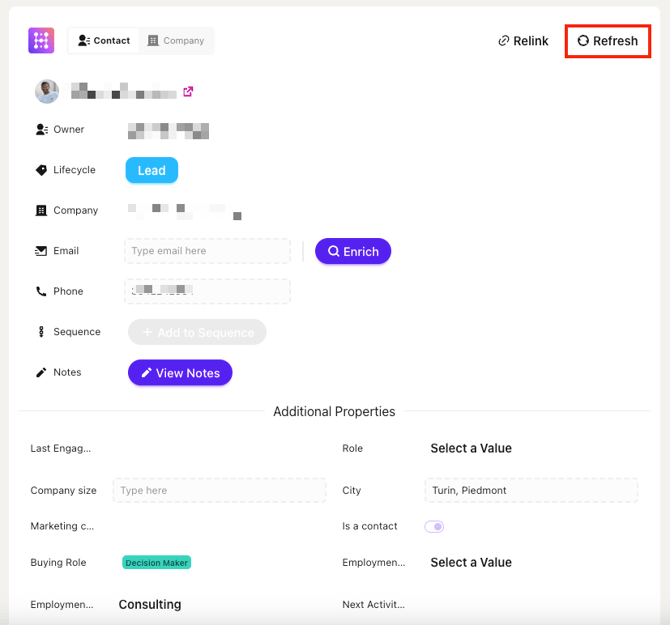
Selecting the correct job position
Some LinkedIn profiles list multiple current positions (e.g. founder + advisor).
When you click Refresh, Hublead will prompt you to:
- Choose which job position should be used for the contact
- Ensure the correct role and company are synced to HubSpot
This avoids incorrect titles or mismatched company data.
💡 This step is especially useful for consultants, founders, and fractional roles

What does “Relink” do?
Relink allows you to associate a LinkedIn profile with a different HubSpot contact.
This is useful when:
- The LinkedIn profile was initially linked to the wrong contact
How Relink works
- Open the LinkedIn profile in Hublead
- Click Relink
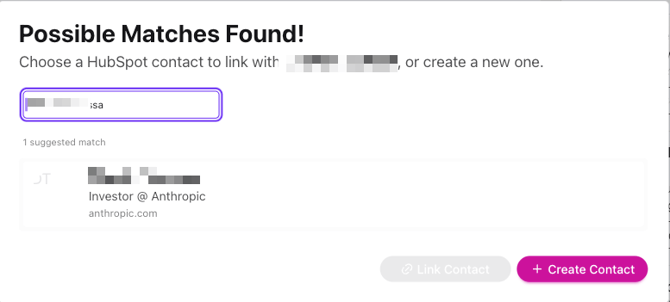
- Hublead shows suggested HubSpot contact matches
- Choose one of the following:
- Link to an existing contact
- Create a new contact and link it
When should you use Refresh vs Relink?
| Scenarios | Action |
|---|---|
| Contact exists but data is incomplete | Refresh |
| LinkedIn profile linked to wrong contact | Relink |
| Contact has multiple current jobs | Refresh (choose job) |